Setting up Automated Review Replies
Accessing AI Automations
Click On AI Automations on Command Center Navigation
Setting up a new Review Reply Automation
Click on Automations Tab
Add a new Review Auto-Reply and configure main settings (Name, Location, Approver, Auto-Approval settings). Toggle ON when ready.
View Pending Approvals in the Command Center.
Click the Approvals Tab and apply the Review Replies Filter
You can Approve, Edit or Reject suggested responses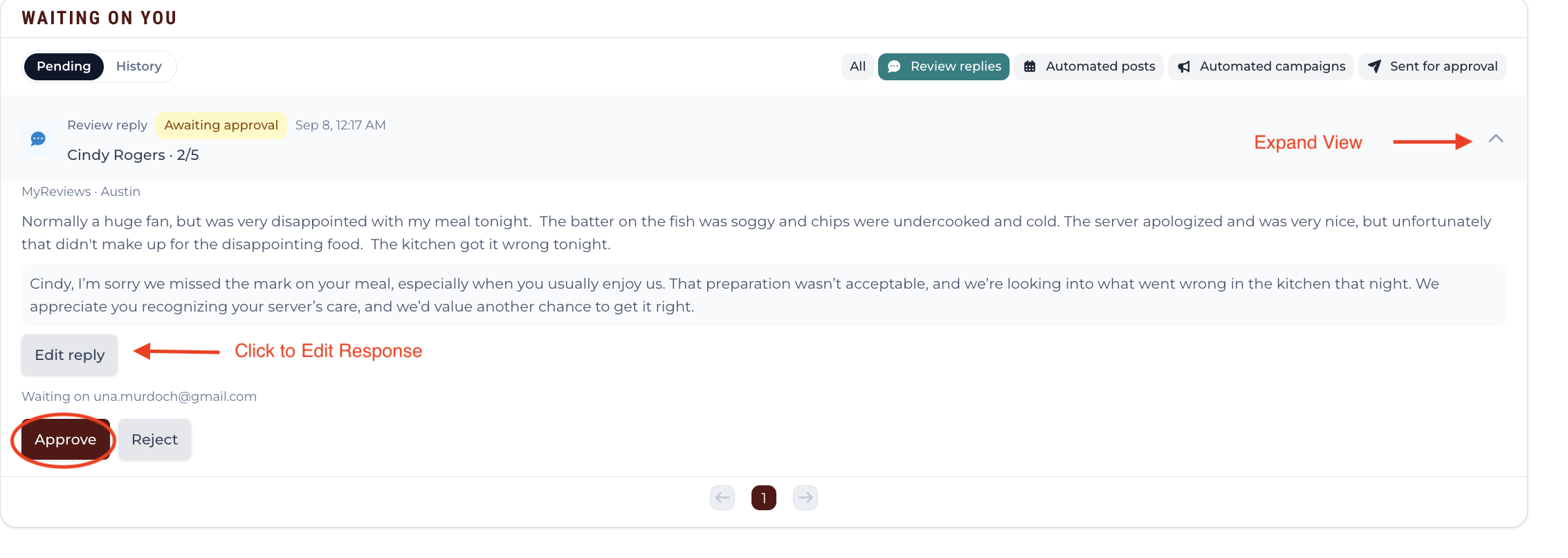
Approval Emails
You can Approve, Edit or Reject Suggested Responses.
Click Pencil icon to edit, then Approve & Publish.